
fbpx

FAQ

Frequently asked questions

What is Responso?

Responso is a customer communication management tool that consolidates messages from multiple sales channels into a single inbox. It enables faster response times, automation of support workflows, and leverages AI-powered features to drive better sales performance and higher customer satisfaction.

Who is Responso for?

The platform is designed for e-commerce sellers and companies operating on marketplaces such as eBay or Amazon that aim to improve customer service and effectively manage communications.

What are the main functions and capabilities of Responso?

Responso offers seamless integrations with multiple sales and messaging channels, centralizing message collection and management. This provides end-to-end control of support processes – from automated replies to access order details and conversation history, through to analytics. The platform also supports team management, handling of reviews and returns & refunds, and uses AI-driven insights to optimize operations and accelerate customer response times.

What is an agent in Responso?

An agent is an individual system user who can be assigned customer inquiries and discussions. Multiple agents – typically customer support staff – can operate under a single organization account. The number of agents is determined by the chosen pricing plan.

How do I create an account in Responso?

The process is simple—just register on the website, confirm your email address and take the first steps, such as adding integrations with marketplaces.

Is there a trial version?

Yes. Responso offers a fully featured, 14-day free trial (details) with no commitment.

What does the trial version allow?

You’ll have access to all platform features so you can test it in real-world customer support scenarios.

After the trial ends, will the free plan automatically activate?

No. Once the trial ends, you must manually select and activate your preferred subscription plan.

How do I change my account settings?

Account settings – such as personal data, preferences, and notifications – are available in the user panel.

How can I reset my password?

On the login page, click “Forgot your password?” and follow the instructions.

Can I delete my account, and how?

Yes. To delete your account, please contact customer support.

What pricing plans are available?

You can compare all plans – from the Free tier with basic limits to advanced paid packages – on the Pricing page.

How is billing handled?

Payments are charged monthly or annually, depending on the chosen billing model.

How can I change my subscription plan?

You can upgrade or downgrade your plan via the subscription section in your customer panel (manage billing).

How do I manage invoices?

Invoices are available for download in your account panel, with VAT invoices issued upon request.

Is the tool GDPR/GDPR compliant?

Yes, Responso meets GDPR requirements, taking care to protect customer data security and confidentiality.

How can I contact technical support?

You can write in the chat, email or through a form. Details on all support channels can be found in the Contact tab.

What hours is support available?

Standard support operates during team business hours; details will be provided in the customer panel.

Is help available by email or phone?

Technical support is primarily available by email; telephone contact is possible upon request for customers using paid plans.

Do you have integrations with other platforms?

Responso integrates with many e-shop and marketplace platforms. Full list and details are available here.

How should I understand the limitation to 25 messages sent per month? Does this limitation also apply to the autoresponder?

In the Free plan, the number of messages that can be sent from Responso is limited to 25 per month. Both manually sent messages and messages sent automatically by the autoresponder count toward this limit. If you need to send more messages, you can switch to a paid plan where message sending is unlimited.

Live chat

What is live chat in Responso and how does it work?

Live chat in Responso is a tool that allows you to embed a chat widget directly on your online store page. Customers can contact you through it in real time, and all chat messages go to the central Responso panel—where you handle communication from all other channels. Implementation is simple—just copy the generated code and embed it in the page code, without any additional configuration.

On which e-commerce platforms can I embed chat from Responso?

Live chat from Responso can be embedded on many e-commerce platforms, including WooCommerce, Shopify, other store management systems and anywhere you have access to the page code.

Can I customize the appearance and settings of the chat to my store's needs?

Yes, live chat in Responso offers customization options—you can decide on which store subpages the chat should display and where the chat icon should be located. You can also set the hours when customers can use the chat and select specific employees responsible for handling it. This way, chat works exactly when your team is available.

How does live chat affect sales in an online store?

Live chat allows you to instantly resolve customer doubts in real time, which can significantly increase conversion in the store. Thanks to immediate contact with a consultant, customers make purchasing decisions faster, and you can more effectively conduct cross-selling and up-selling. According to research, 51% of consumers are willing to choose a store again if it offers chat support.

Are chat messages handled in the same place as other communication channels?

Yes, all live chat messages go directly to the Responso panel, where you handle communication from Amazon, emails and other sources. You don’t have to switch between different systems—you manage everything from one place, which saves time and streamlines team work.

Can I automate live chat handling?

Yes, messages from live chat can be subject to automation, just like other tickets in Responso. You can, for example, automatically assign high priority to messages from upset customers thanks to sentiment analysis or assign chats to specific agents. Outside team working hours, you can set a display of an unavailability message or completely hide the chat widget. You can also use AI Assistant to automatically handle chat inquiries, so customers receive answers even when your team is busy.

Does live chat in Responso have an AI-based chatbot feature?

Yes, live chat in Responso is integrated with Responso AI Assistant, which works as an advanced chatbot based on artificial intelligence. The tool can independently answer customer questions—about products, delivery time or returns—directly in live chat. AI Assistant will use information about your company and offer that you provide. Thanks to this, customers will receive accurate, verified answers to questions asked in the context of your e-commerce.

Do I need any special technical knowledge to handle live chat?

No, handling live chat in Responso is intuitive and does not require specialized technical knowledge. Implementation involves copying the generated code and pasting it into the store page source code. After embedding, chat works immediately, and its handling takes place in the same Responso interface you use to manage other customer messages.

AI Assistant

What is AI Assistant in Responso and how does it work?

AI Assistant in Responso is a tool based on artificial intelligence that automatically answers customer questions in your online store, using specific data sources in your system. AI Assistant supports customer service, using information about orders retrieved from selected integrations (including Base, Amazon, IdoSell), offer data from selected shopping platforms and marketplaces, and a knowledge base that you configure yourself. Thanks to this, AI Assistant can provide precise answers 24/7, and your team focuses on matters requiring human involvement.

Do I need specialized technical knowledge to configure AI Assistant?

No, AI Assistant configuration is simple and guided step by step. You fill out a short form and create resources in which you describe your company, processes and customer service rules. For offers, you indicate sources (e.g., WooCommerce, PrestaShop, Magento, Shoper, IdoSell, Mercado Livre) from which the Assistant should draw information. The whole thing does not require programming skills—it works within the already familiar Responso panel.

How does AI Assistant affect customer service efficiency?

Responso AI Assistant immediately answers repetitive questions about orders, offers and store operating rules, so customers don’t wait for an answer, even outside team working hours. The customer service team can focus on more difficult, non-standard matters, which really shortens ticket resolution time and relieves employees. As a result, customer satisfaction grows, and you gain more time for business development.

Do I have control over what AI Assistant answers to customers?

Yes, you have full control over AI Assistant operation. You decide which integrations and resources are available to it and which specific areas it should handle. You can edit and develop the knowledge base so that answers are increasingly precise. At any time, you can also turn off AI Assistant for a single ticket if a specific matter requires an individual response from a member of your team.

What customer questions can AI Assistant answer?

AI Assistant works best with questions that require quick reference to specific data from your store. It can help customers check details of their orders, product inquiries, and issues related to your e-commerce operating principles, such as delivery, returns or complaints. The range of topics it will handle depends on what information you provide to AI Assistant.

Will AI Assistant replace my customer service employees?

No, Responso AI Assistant does not replace employees—it supports their work and relieves them of routine, repetitive tasks, independently answering the most common inquiries, while still leaving room for human judgment, empathy and individual approach. Responso AI Assistant is a tool that complements team competencies and increases their efficiency—it is not a solution intended to completely automate customer service.

How does AI Assistant learn about my company and products?

AI Assistant uses three main sources of information. It retrieves order data directly from selected integrations, such as Base, Amazon or IdoSell—you don’t have to manually enter them in resources. It draws offer data from selected integrations (including WooCommerce, PrestaShop, Magento, Shoper, IdoSell). All other information—e.g., answers to frequently asked questions—you add in the form of a knowledge base in resources, and AI Assistant uses them to provide answers in the context of your specific e-commerce.

Jak rozumieć ograniczenie do 25 wysłanych wiadomości w miesiącu? Czy to ograniczenie dotyczy też autorespondera?

W planie Free liczba wiadomości możliwych do wysłania z Responso jest ograniczona do 25 na miesiąc. Do tego limitu włączają się zarówno wiadomości wysłane ręcznie, jak i wiadomości wysyłane automatycznie przez autoresponder. Jeśli potrzebujesz wysyłać więcej wiadomości, możesz przejść na plan płatny, gdzie wysyłka wiadomości jest bez limitu.

Reports

What are statistics in Responso and how do they help with e-commerce?

Statistics in Responso are collected data on customer service that enable analysis of response time, number of inquiries and team work efficiency. They help manage and optimize service processes, which translates into higher customer satisfaction and ultimately better sales results.

Why is it worth monitoring customer service quality?

Monitoring service quality allows you to quickly identify problems, improve response time and team efficiency, which affects positive customer experiences and their loyalty to the store.

What data can I analyze thanks to statistics in Responso?

You can analyze the number of new tickets, response time, employee workload, traffic sources, as well as products generating the most inquiries and returns.

Can I check the performance of individual customer service employees?

Yes, Responso enables evaluation of agent performance through measurement of average response time and number of inquiries handled. This helps better manage the team.

Can I analyze customer service workload on specific days or hours?

Yes, the platform offers reports showing the distribution of inquiries over time, which allows you to optimize team work during the most intense periods.

What reports can I generate in Responso?

In Responso you can generate reports on customer service workload, average response time, agent performance, traffic from individual channels, as well as products generating the most inquiries. For each report, you can select a time period, and completed reports can be exported in graphics format (PNG, JPEG, PDF) or data format (CSV, XLS).

Can I create custom reports?

Currently, Responso offers predefined reports. There is no option to create fully custom reports, but we are planning to develop the reporting module in the future to offer even more customization options.

Can reports be automatically sent by email?

No, Responso does not support automatic report generation and sending by email. However, you can export completed reports to disk in your chosen format (graphics or data) or print them directly from the panel.

Do reports help increase e-commerce sales?

Yes, thanks to statistics analysis you can improve customer service, identify products requiring attention and optimize sales activities, which translates into increased sales and customer loyalty.

Automatic Actions

What are automatic actions in e-commerce and how do they work?

Automatic actions in Responso are a set of rules that allow you to automate various processes related to customer service and online store management. Thanks to them, you can set conditions and corresponding actions that the system will execute automatically. This will streamline many daily tasks.

What benefits does automating processes in an online store provide?

Automation saves time and resources, reduces the risk of errors and ensures greater consistency and speed of customer service. This way, employees can focus on more difficult tasks, and the business becomes more efficient.

Does automation require specialized technical knowledge?

No, Responso offers an intuitive panel for creating automations that can be configured without advanced technical knowledge thanks to ready-made rules and instructions.

What types of tasks can I automate with Responso?

You can automate responding to customer questions, assigning messages to agents, assigning tags, statuses or analyzing context and sentiment. If you use Base, you can also automatically change order statuses in Base based on defined conditions. Each of these automations will save you a lot of time on repetitive tasks.

Can customer service automation work in combination with AI?

Yes, Responso combines automation with AI, which allows for more advanced responses—AI can, for example, analyze message sentiment and initiate appropriate automatic actions.

How does the integration of automatic actions from Responso with Base work?

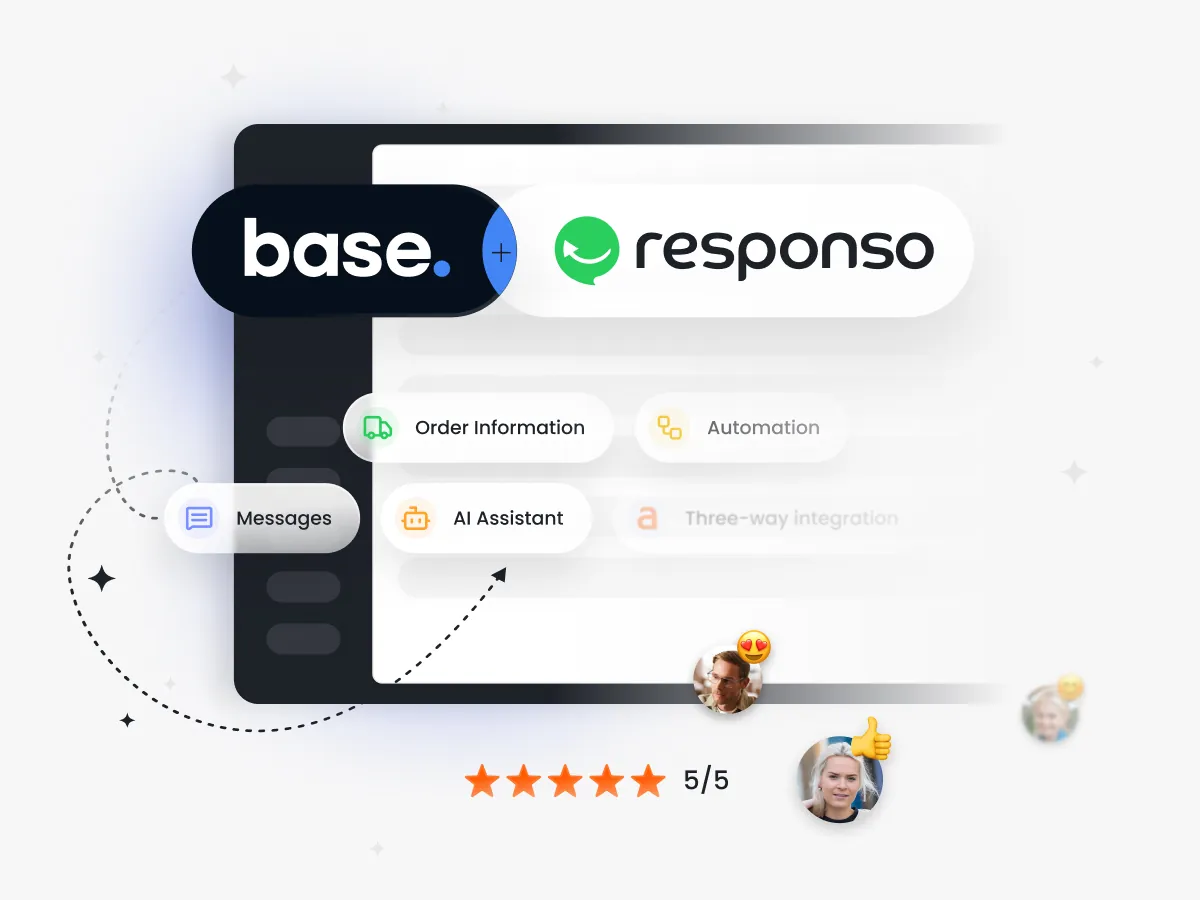
Responso tightly integrates with Base. In the Responso panel you see order data from Base, which facilitates customer service. Automatic actions can also change order statuses directly in Base, creating an efficient and automated system.

Can I automatically change order statuses in Base from Responso?

Yes, automatic actions allow you to change order statuses in Base directly from the Responso panel, which optimizes sales process management.

Can I customize automation rules to my store's specifics?

Yes, rules can be precisely tailored to business needs and specifics, creating sophisticated and flexible scenarios for automatic actions.

Which platforms and tools does the automatic actions module integrate with?

The module works with popular e-commerce platforms, marketplaces like Amazon and eBay, as well as Base and tools for email and social media management.

Multi-channel comms integration

What is multichannel sales support and why is it important?

If you sell in multiple channels, you know that supporting customers on multiple platforms in parallel—through marketplaces, email, social media—takes a lot of time. Responso allows you to manage multiple channels from one panel, eliminating the need to switch between systems and reducing response time to customer inquiries.

What benefits does integrating sales channels into one system offer?

Integration allows centralized management of all messages in one place, which streamlines team work, increases efficiency and allows better communication control. This way, you respond to customer inquiries faster, and your team can organize better and collaborate more effectively.

Which sales and communication channels does Responso support?

Responso supports many channels, including popular marketplaces (Amazon, eBay), e-commerce platforms (WooCommerce, Shopify, PrestaShop, IdoSell), email and social media, as well as integrating with the Base system, so you can manage communications and orders from multiple sources in one panel.

Does multichannel support work in real time?

Responso synchronizes messages from different channels to one panel—in most cases this happens in real time or with minimal delay. This way, you can efficiently serve customers without unnecessary breaks. The exact synchronization time may depend on the specific integration and specifics of the given platform.

Does Responso integrate with popular marketplaces like Amazon or eBay?

Yes, Responso is fully integrated with major marketplaces such as Amazon and eBay, enabling management of communications on these platforms directly from one panel.

Is it possible to filter and tag messages from different channels?

Yes, in Responso you can filter and tag messages from different channels. Messages are automatically tagged with the logo of the channel they come from, which makes it easy to recognize them. You can also add your own tags and create filters based on custom criteria—this way you can quickly find needed messages and efficiently manage inquiries.

Can I assign messages to specific team members?

Yes, in Responso you can assign threads (entire conversations) to selected agents. This gives you a clear division of responsibilities and better control over customer service. You can also automatically assign agents through automatic actions—for example based on the message source or type of issue.

Does Responso allow tracking communication history with the customer?

Yes, Responso stores the full history of communication with the customer regardless of channel. This makes it easy to conduct contextual and conscious conversations and quickly resolve problems.

Intelligent Autoresponder

What is an intelligent autoresponder and what is it used for?

The intelligent autoresponder in Responso is a feature that automatically responds to your customers’ messages from various channels—regardless of the time of day or the number of inquiries. Thanks to it, your response to messages from Amazon, your online store or email will always be lightning-fast—even when your team is offline. The system allows you to precisely set rules and message content so they are adapted to the situation and context—they can be different for different markets, languages or working hours. You can also use an AI-powered autoresponder that generates unique, contextual responses, understanding not only the customer’s words but also their intentions.

How much does the intelligent autoresponder from Responso cost?

The intelligent autoresponder from Responso is an integral part of every platform subscription plan—including the free one! In the Free version, you can use one autoresponder and send up to 25 messages per month, while paid plans such as Standard or Professional offer unlimited automatic replies along with additional features and AI support.

What business benefits come from using Responso's intelligent autoresponder?

The main business benefits include: reducing average first response time, higher customer satisfaction as they wait less for contact, and help in maintaining response timeliness required by marketplaces—which supports achieving and maintaining seller status on similar platforms. Additionally, you gain control over communication through loop detection and the ability to manually disable the autoresponder for selected conversations.

Which platforms does Responso's intelligent autoresponder work on?

Responso’s intelligent autoresponder works on many e-commerce platforms and communication channels, including WooCommerce, PrestaShop, IdoSell and Shopify. It also responds to email messages and inquiries from marketplaces such as Amazon and eBay. If you use the Base system, you can additionally integrate it with Responso—thanks to this, the autoresponder will gain access to order information and will be able to provide even more precise, contextual responses, and you can manage all communications conveniently from one place.

Can I set up different messages for different types of recipients?

Yes, in Responso you can set up different autoresponders for different types of recipients. You can precisely tailor automatic responses to the situation—for example, depending on the time of contact, the source of the message, the sender’s language or specific phrases appearing in the inquiry. This way, each group of customers receives an appropriately tailored message that sounds natural and is not generic.

How do I configure the autoresponder? Does it require technical knowledge?

Configuring the intelligent autoresponder in Responso is simple and does not require specialized technical knowledge. You just need to define the conditions—the rules that will trigger automatic responses—and create the message content using ready-made templates or your own texts. After saving and enabling the autoresponder, the system will automatically start sending tailored responses to customers.

Can I set up a schedule for sending messages?

Yes, in Responso you have the ability to set up a schedule for sending messages through the intelligent autoresponder. For example, you can delay an automatic response to give agents time to contact the customer themselves, or schedule message sending only during specific hours and days, which allows you to better tailor communication to your team’s work style.

Are there any limits on the number of emails sent daily?

Responso’s intelligent autoresponder does not impose rigid limits on the number of emails sent daily. However, the free Free plan has a limit of 25 messages sent from the platform per month. Paid plans—Standard and higher—offer unlimited automatic replies, giving you plenty of freedom to scale communication without restrictions.

Does the autoresponder support attachments in sent messages?

Yes, the autoresponder in Responso supports adding attachments to sent messages. It is possible to send files, documents or photos to better support communication with customers and provide them with appropriate information.

Czy AI przyspiesza czas reakcji na zapytania klientów?

Tak, dzięki automatycznym analizom i odpowiedziom AI znacznie skraca czas reakcji na wiadomości od klienta. Podnosi to jakość obsługi, zwiększa satysfakcję klientów oraz pozwala na znacznie szybsze rozwiązywanie problemów, co z kolei buduje pozytywne relacje i lojalność wobec marki. Automatyzacja sprawia też, że obsługa jest dostępna 24/7, eliminując czas oczekiwania i poprawiając doświadczenia użytkowników w każdym momencie kontaktu.

Czy AI zapisuje rozmowy z klientami?

Tak, Responso przechowuje historię rozmów prowadzonych z wykorzystaniem AI, co pozwala na analizę komunikacji i dalsze usprawnienia procesów obsługi klienta.

Artificial Intelligence

What is artificial intelligence in customer service and how does it work?

Artificial intelligence in Responso is a tool that supports your work in customer service—it analyzes messages from buyers and helps generate personalized responses. AI understands the content and context of the message, recognizes customer emotions (sentiment analysis) and can work based on a knowledge base about your company. It operates without human intervention—it generates unique, situation-appropriate responses, reducing service time and improving customer satisfaction. You retain full control and can always verify or edit what AI generates before the message reaches the customer.

How does AI support customer service in e-commerce?

AI helps reduce the load on the customer service team by automating repetitive tasks such as initial inquiry sorting, generating quick responses or initiating next steps in the service process. At critical moments it reacts instantly, e.g., when a customer expresses frustration or contacts you in a foreign language. AI will not replace your customer service team employees—it will help them focus on matters requiring their greater attention, reduce routine work and significantly speed up their work.

What tasks can artificial intelligence take over?

AI can analyze incoming messages, improve grammar and response style, recognize customer sentiment, and initiate automatic workflows such as sending autoresponders or assigning inquiries to specific agents.

How does AI analyze message context?

AI in Responso understands not only the literal meaning of words but also the broader context of the inquiry—it identifies what the customer is really writing about, even if they used different words or wrote chaotically. Based on this, the system can automatically route the message to the appropriate department or employee, assign it a priority or trigger other actions. This saves you time because agents immediately know what they’re dealing with.

Can AI recognize customer emotions?

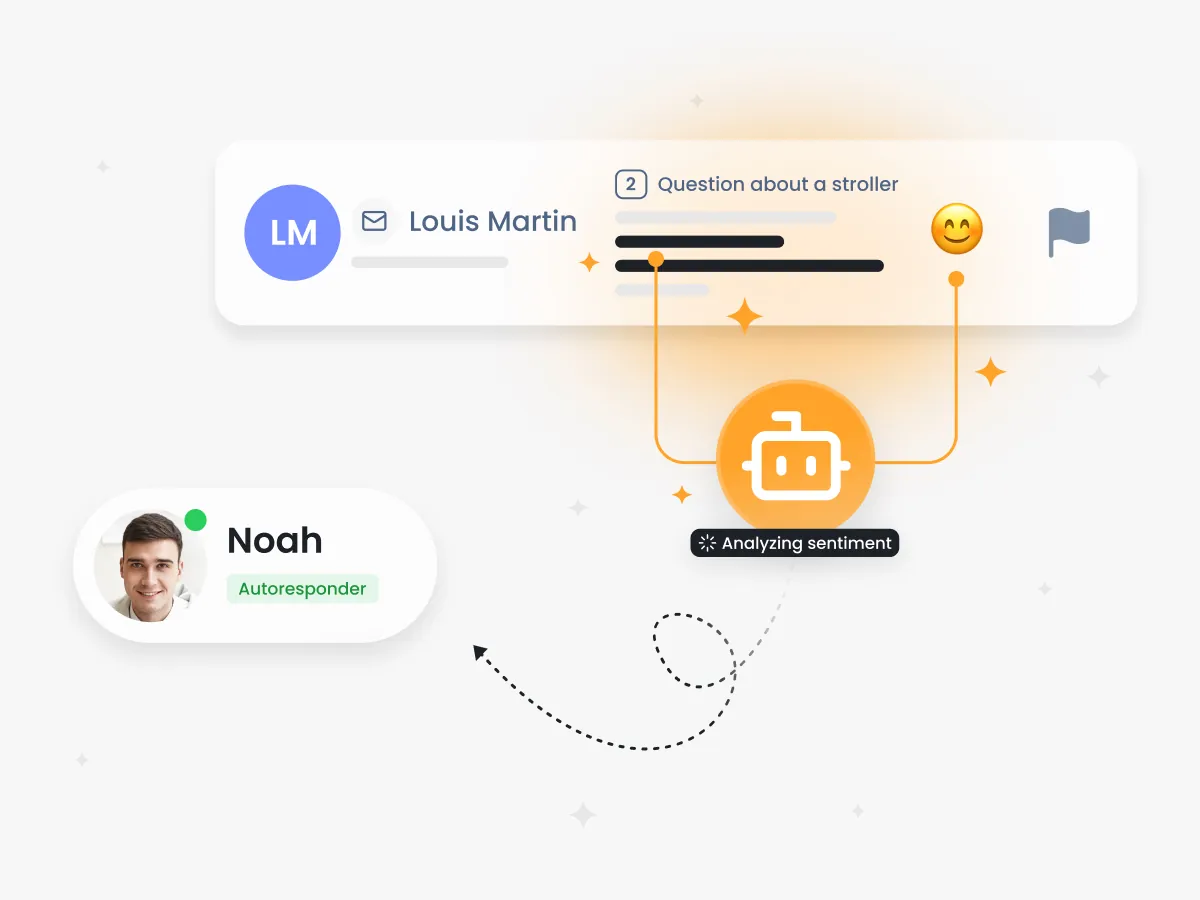
Yes, AI in Responso analyzes message sentiment—it recognizes emotions: anger, frustration, satisfaction or joy. Based on this, it can automatically mark messages as urgent if they contain negative emotions, allowing you to quickly respond to dissatisfied customers. This helps prevent conflicts and build better relationships with buyers.

Can AI recognize emotions such as anger or frustration?

Yes, AI in Responso recognizes emotions expressed in messages and classifies them as negative, neutral or positive. Beyond these basic categories, more precise classifications are also available—a message can, for example, be marked as offensive or promotional. The system can automatically mark messages with negative sentiment as urgent, allowing you to quickly respond to dissatisfied customers and prevent conflict escalation. This helps build better relationships with buyers.

What is AI autoresponder and how does it differ from traditional autoresponders?

AI autoresponder is an advanced automatic response system that generates unique and context-appropriate messages instead of sending generic, pre-prepared templates that often sound artificial.

Does AI support different languages?

Yes, Responso offers multilingual AI support that automatically recognizes and responds in the sender’s native language. This facilitates customer support from different countries.

Do I need special technical skills to use AI?

No, using AI in Responso is intuitive and does not require specialized technical knowledge. The entire process is simple to configure and use.

Returns and Complaints Module

What is the e-commerce returns and complaints module and how does it work?

The returns and complaints module in Responso is a tool that facilitates management of returns and complaints in online stores and on platforms. It allows for quick and convenient reporting, tracking and handling of these processes from one panel, which simplifies customer contacts and speeds up related procedures.

Why should returns and complaints processes be automated?

Automation saves significant time, minimizes errors and streamlines customer communication. It ensures consistency of service, speed of response and reduces employee workload, which is especially important during periods of high order volume, such as Black Friday, when traffic and inquiry volume increases dramatically.

What benefits does the module bring to sellers and customers?

Sellers gain better organization and control over returns and complaints, which translates into time and cost savings. Customers, on the other hand, can easily report returns online and track their status, which increases satisfaction and positive shopping experiences.

How do I automate returns and complaints handling in Responso?

In Responso, you can set up automatic actions for return and complaint type tickets—just like for others. These can be automatic reminders about complaint deadlines, automatic tag or status assignment, or an autoresponder informing the customer about their return being registered. You define the conditions (e.g., “complaint” tag) and the actions to be triggered—this way the returns handling process will proceed smoothly and without the need for manual intervention.

Does the module allow tracking the status of complaints and returns?

Yes, in Responso you can monitor the status of each complaint and return directly in the panel—you can assign statuses, filter inquiries or assign them to employees. If you use the Base integration, you can quickly move from a return ticket to the view of that specific return in Base and track its status there in more detail. This gives you full control over the process from submission to completion.

What platforms can I use to handle returns with Responso module?

The returns and complaints module is designed with online return forms for your own store in mind. You can embed online forms on your e-shop page or send them to customers in post-purchase emails—this way buyers quickly and conveniently report returns and you collect needed information in one place. Marketplaces usually have their own processes, so the Responso module works best combined with your own store.

What does the module implementation process look like in my store?

Implementation is quick and simple—you just need to integrate Responso with your e-commerce platform and configure return forms and automation in the panel. If you need support, contact the Responso help team.

What are the costs of using the returns and complaints module?

The module is available in selected Responso subscription plans, and details on pricing can be found on the pricing page. You can also contact the sales department, which will help you choose the right plan for your needs.

Z jakimi platformami i narzędziami integruje się moduł automatycznych akcji?

Moduł współpracuje z popularnymi platformami e-commerce, marketplace’ami jak Allegro, Amazon czy eBay, a także z Base oraz narzędziami do obsługi maili i social media.

Czy automatyczne akcje mogą zmniejszyć koszty obsługi klienta?

Tak, automatyzacja redukuje potrzebę ręcznej pracy, ogranicza błędy i skraca czas obsługi, co pozwala obniżyć koszty i poprawić efektywność zespołu.

Statystyki

Czym są statystyki w Responso i jak pomagają w e-commerce?

Statystyki w Responso to zebrane dane na temat obsługi klienta, które umożliwiają analizę czasu reakcji, liczby zgłoszeń oraz efektywności pracy zespołu. Pomagają zarządzać i optymalizować procesy obsługi, co przekłada się na wyższą satysfakcję klientów i finalnie lepsze wyniki sprzedażowe.

Dlaczego warto monitorować jakość obsługi klienta?

Monitoring jakości obsługi pozwala szybko wykryć problemy, poprawić czas reakcji i efektywność zespołu, co wpływa na pozytywne doświadczenia klientów i ich lojalność wobec sklepu.

Jakie dane mogę analizować dzięki statystykom w Responso?

Możesz analizować liczbę nowych ticketów, czas odpowiedzi, obłożenie pracowników, źródła ruchu, a także produkty generujące najwięcej zapytań i zwrotów.

Czy mogę sprawdzić wydajność poszczególnych pracowników obsługi klienta?

Tak, Responso umożliwia ocenę wydajności agentów poprzez pomiar średniego czasu odpowiedzi i liczby obsłużonych zgłoszeń. Pomaga to lepiej zarządzać zespołem.

Czy mogę analizować obłożenie obsługi klienta w określonych dniach lub godzinach?

Tak, platforma oferuje raporty pokazujące rozkład zgłoszeń w czasie, co pozwala zoptymalizować pracę zespołu w najbardziej intensywne okresy.

Jakie raporty mogę wygenerować w Responso?

W Responso możesz wygenerować raporty dotyczące obłożenia obsługi klienta, średniego czasu odpowiedzi, wydajności agentów, ruchu z poszczególnych kanałów, a także produktów generujących największą liczbę zapytań lub zwrotów (dostępne dla Allegro). Dla każdego raportu możesz wybrać przedział czasowy, a gotowe raporty możesz wyeksportować w formacie grafiki (PNG, JPEG, PDF) lub danych (CSV, XLS).

Czy mogę tworzyć niestandardowe raporty?

Na chwilę obecną Responso oferuje predefiniowane raporty. Nie ma możliwości tworzenia całkowicie niestandardowych raportów, ale planujemy rozwijać moduł raportów w przyszłości, aby oferować jeszcze więcej opcji dostosowania.​

Czy raporty mogą być wysyłane automatycznie e-mailem?

Nie, Responso nie obsługuje automatycznego generowania i wysyłania raportów pocztą e-mail. Możesz natomiast wyeksportować gotowe raporty na dysk w wybranym formacie (grafika lub dane) lub je wydrukować bezpośrednio z panelu.

Nie czekaj i <b>popraw obsługę klienta</b> w swoim eCommerce!

Wypróbuj już teraz za darmo przez 14 dni